Finding buyers in another country is where many export plans stall. You know your product would sell in Texas, Bavaria or Ontario. What you don't have is a list of the shops, distributors and studios there who might buy it — or the time to build one from the other side of the world.
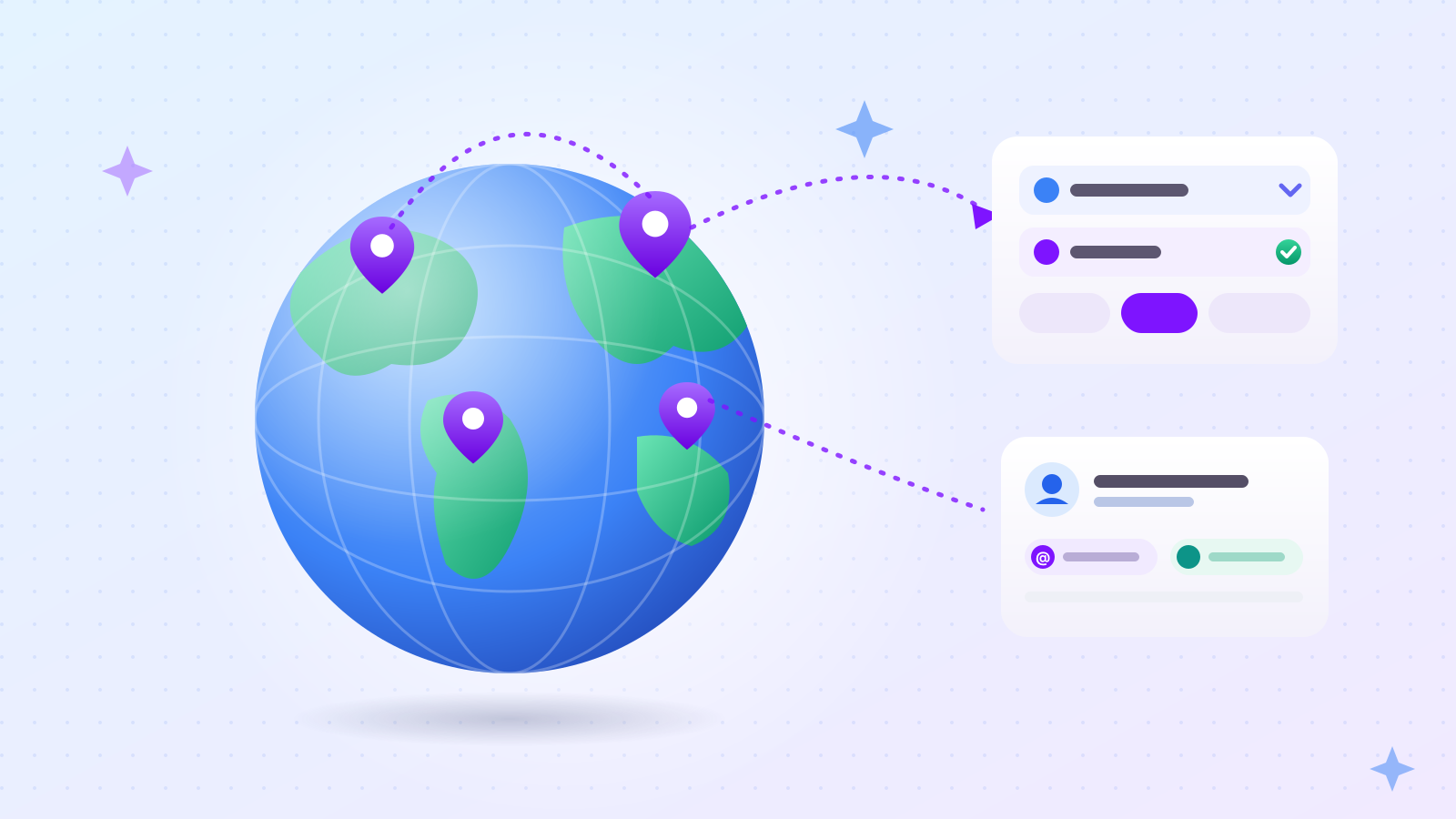
We (Outreach) built our overseas search for exactly this. You pick a country and, if you want, a state or region, type what your buyers are called in that market, and Outreach collects matching businesses with their email addresses, phone numbers and Instagram handles. It keeps only the businesses whose location it can confirm.
This post explains how that works, what the options are, and what a real overseas project looked like.
Why is finding overseas buyers so hard from home?
Because the search tools you'd normally use are built for local customers, not for someone abroad building a B2B lead list. Results mix businesses with news, list sites and pages from the wrong city, and none of them come with contact details ready to use.
Three problems show up almost immediately:
- The words are different. Buyers in Germany don't call themselves what you'd call them in English or Korean. The same industry often has several local names, and each finds different businesses.
- The region is fuzzy. A search for one state returns businesses from the next state, head offices from the capital, and national chains with a toll-free number.
- The contact details are scattered. One business puts its email in the footer, another on a contact page, another nowhere at all.
By hand, finding and copying one business's contact details takes about 1–2 minutes. Add the checking — is this really in the right region? — and a list of a few hundred overseas businesses becomes a week of evenings.
Which countries can you search with Outreach?
Outreach can collect businesses in 193 countries. You choose the country from a list on the project's Keyword step; there's nothing to install or configure per country.
To search abroad, choose Overseas under "Where should we look?" (the other option is Domestic, which means Korea). Then pick the country. Everything else — keywords, contact details, sending — works the same way as for a domestic project, so once you've run one project you know how to run them all. The full flow is in how to build a B2B lead list and send cold emails from one keyword.
How do you target one state or region instead of a whole country?
After picking the country, choose a state, province or region from the second menu. Outreach then searches in that region and saves only businesses whose location in it is confirmed.
This matters most in large countries. A distributor in California is not much use if your delivery partner only covers the East Coast, and a café in Munich is a different conversation from one in Hamburg. Picking the region up front keeps the list focused on buyers you can actually serve.
If you leave the region empty, Outreach searches the whole country and keeps only businesses it can confirm are in that country.
What does "only businesses whose region is confirmed" mean?
A business is saved only when there's evidence it's in the region you picked. If Outreach can't confirm the location, it leaves the business out. You may get fewer businesses than your target, but the ones you get are in the right place.
The published street address is the strongest evidence, so it comes first. A phone number is used only when there's no address, and only if its area code belongs to that region.
The order matters more than it sounds. When we collected 50 businesses in Georgia, 4 of them used out-of-state phone numbers — toll-free numbers, or numbers kept from a previous location. We checked each website by hand: all 4 of 50 had Georgia addresses. Judging by phone number first would have thrown away four good businesses. Judging by address first kept them.
The trade-off is honest: a stricter rule means some real businesses are left out when their location can't be confirmed. We think a shorter list with no wrong-region entries is worth more than a longer one where some of your emails go to businesses you can't serve.
What keywords should you use for a foreign market?
Use the words businesses in that country use to describe themselves, and add a few different names for the same industry. A preview box on the Keyword step shows the exact search phrases before anything runs, so you can see whether they make sense.
For example, if you're looking for kitchen showrooms in Germany, "Küchenstudio" and "Küchenfachhandel" will find more than "kitchen showroom". If you're looking for independent cafés in Texas, try "coffee shop", "espresso bar" and "café" as separate keywords.

A few things on the Keyword step help with foreign markets:
- Keyword groups. You can split a project into groups — for example, one per region — each with its own keywords and target count.
- A target count sits to the right of the keywords. If one keyword runs dry, Outreach also tries other common names for the same industry to reach the count.
- Words to add to every keyword (under Advanced settings) — for example, a word like "wholesale" that should go with every search.
- Local-language suggestions. If you type an industry word in Korean, a helper suggests local-language terms for common industries. You choose which ones to add; nothing changes automatically.
How do you find Korean-owned businesses abroad?
Choose Overseas, pick the country, and tick "Korean-owned businesses only". Outreach then saves only businesses where there's evidence that they're Korean-run.
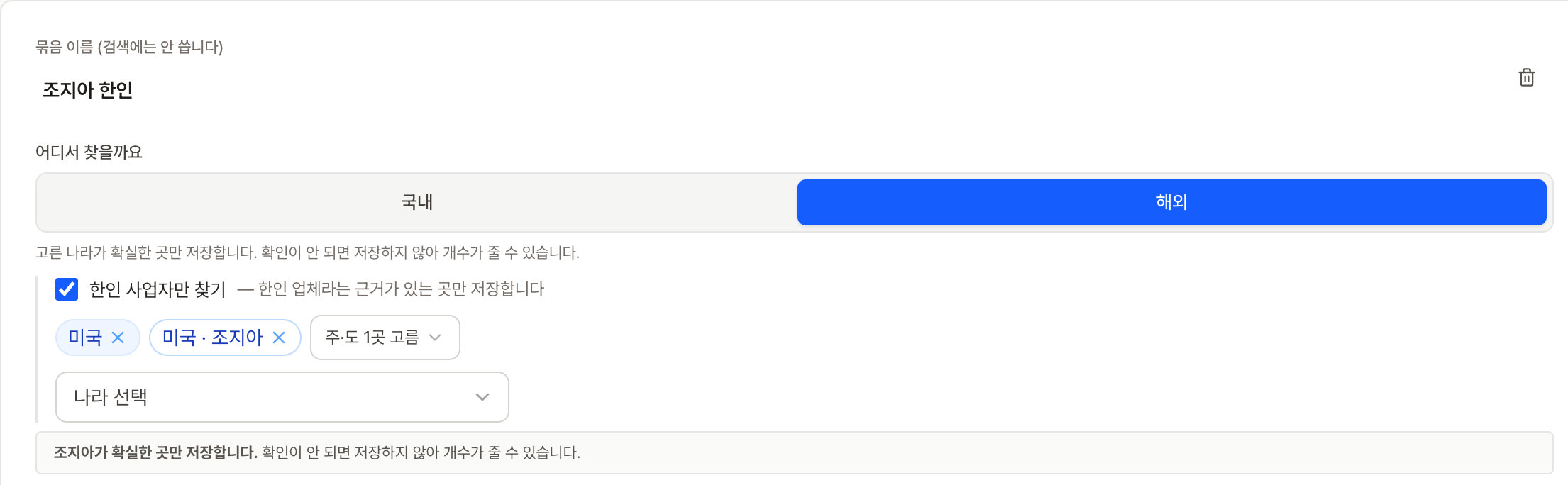
This option exists because many sellers' first customers abroad are Korean-owned businesses: restaurants and grocery stores that need Korean ingredients, clinics and offices that want Korean-language services, shops that already know Korean brands. For a Korean company, they're often the easiest first door into a new market.
The important word is evidence. A business that serves Korean customers isn't necessarily Korean-run — a Japanese restaurant chain or a large financial company may advertise to the Korean community without being Korean-owned. So the option doesn't save a business just because it looks relevant; it needs a sign that the business itself is run by Koreans.
What did a real overseas project look like?
In one real project, we collected 305 Korean-owned businesses in the US, with ownership, region and email checked for each one. The full story — what went wrong, what we changed, and what we learned — is in how we built a list of Korean-owned businesses in the US.
Two numbers from that project help set expectations:
- Speed. Collecting 30 businesses in one Georgia region took between 13 min 27 s and 30 minutes 24 seconds per run, without any manual work.
- Email availability varies by industry. Local restaurants, for instance, often take bookings by phone and never publish an email. If email is your only channel, set Email to Required and expect a shorter list in those industries; if not, collect phone numbers and Instagram handles too.
What contact details can you collect from overseas businesses?
Email addresses, phone numbers and Instagram handles — the same three as a domestic project. For each one you choose Skip, Collect if available, or Required.
Before an email address is saved, Outreach asks the recipient's mail server whether the address exists, without sending anything. Addresses that don't exist aren't saved. That matters more abroad than at home, because you can't easily call a business in another time zone to check. If you already have addresses from somewhere else, our free email checker runs the same kind of check on a single address (its interface is currently in Korean).
You're charged 1 credit per contact detail found, and nothing for details a business doesn't have. Before collection starts, a cost line shows the most the run could use and your balance.
How do you contact overseas buyers once you have the list?
Send emails from your own Gmail and Instagram DMs through our Chrome extension, from the same project screen. Replies come straight to your inbox.
Write the message once; fields like the business name are filled in for each email. Write it in your buyers' language if you can, keep it short, and make the ask easy to answer — our 5 B2B cold email templates show what that looks like.
For timing, Send later lets you pick the time, so — with their time zone in mind — your emails can arrive during their working day rather than yours. Emails go out one at a time, about 10 minutes apart by default. Instagram DMs go through the Outreach Chrome extension, which you download from our website and install yourself — it isn't in the Chrome Web Store. Before your first send, run your domain through our free checker for sender settings (interface in Korean).
How do you start with a new market?
Run one small test: one country, one region, two or three local keywords and a target of about 30 businesses. New accounts get free credits on signup, which is enough to see what Outreach finds in your market before you spend anything.
- Create a free account and start a project.
- Choose Overseas, the country and the region.
- Add two or three local keywords and check the preview box.
- Tick "Korean-owned businesses only" if that's your first market.
- Choose your contact details, check the cost line, and start collecting.
There's no monthly subscription. You pay per contact detail found and per message sent — and the interface is currently in Korean, so keep this post open while you set up your first project.